A real Motion video, made in vertical 9:16. Clipteach made it from the script below, pasted as is: the voice reads the lines, the [notes] direct the scenes.
The exact script that made it
[An AI chat. The user types "Tell me a story about a cat."]
Ask an AI for a story, and watch closely.
[The AI's answer streams in, word by word: "Once upon a time, there was a little cat who loved to..." and stops there.]
It writes one word at a time. And every word is a guess.
[Under the unfinished sentence, the candidates for the next word grow as bars: "sleep" 41%, "explore" 23%, "eat" 17%, "dance" 3%.]
Before each word, it scores every word that could come next.
[The top bar lights up and "sleep" drops into the sentence. New bars grow for the next word, and another word drops in, faster and faster, until the story fills the window.]
It picks one of the best, adds it, and starts again.
[Back to the chat: the user sends the same question again, and a different story streams in.]
That's why the same question rarely gets the same answer twice.
[The title "one word at a time" lands over the finished story.]
Hundreds of tiny guesses. One answer.
What is motion design?
Motion design is graphic design that moves: type, shapes, interfaces and numbers, animated so the movement itself carries the idea. When it works, you don’t notice the animation; you just understand faster.
Saul Bass’s title sequences for Vertigo and Psycho set a whole film’s mood with nothing but shapes and type. A product explainer has a smaller job: make one idea land, then the next. Four things make motion graphics feel professional rather than like a slideshow that happens to move (the long version is here):
- Timing. Each element lands on the word it belongs to. Too early and the viewer reads ahead of the voice; too late and they have already looked away.
- Easing. Nothing starts or stops dead. Things speed up, slow down and settle, the way real objects do. Animators call it “slow in and slow out”, one of the twelve principles Frank Thomas and Ollie Johnston set down in The Illusion of Life (1981).
- Hierarchy. One thing leads at a time, the biggest, the brightest or the one that moves, so the eye always knows where to go.
- One idea per beat. A scene says one thing, holds long enough to be read, then makes room for the next.
These are also the rules of learning. Richard E. Mayer’s multimedia-learning principles say people learn better when words and pictures arrive together (temporal contiguity), when what matters is highlighted (signaling) and when the extras are cut (coherence). Good motion design teaches before it decorates.
How the AI director makes those choices, video by video
A template makes its choices before it has read your script: the same intro, the same transitions, the same rhythm, whatever you have to say. Clipteach works the other way round. The voice comes first, a pro AI voice or your own recording, and the AI director reads the script with it.
For every line, it decides what appears (a window, a line of code, a flow, a number), where it sits, how it moves in and settles, what is lit and what stays dim, and how long it holds. Then it times each scene to the word it belongs to. A different script gets a different video, with its own layouts and its own motion.
You keep the last word. Click any scene on the timeline to change its words or its glow, or ask the video assistant in plain words (“fewer elements, calmer”, “show it as a timeline”) and approve its plan before anything changes.
Want a specific shot? With Rewrite off, write it as a [note] on its own line above the words it shows: [An app window: the “New invoice” form fills itself in, then a “Sent” badge pops up.] The voice never reads it; the director stages it.
The dark look: animated explainers for SaaS and software
Motion’s own look is a dark interface world. Software is hard to film and easy to misunderstand, because the interesting part happens between the screens. Motion draws that part:
- App windows that open, fill and change, the way a product does.
- Typing: a prompt, a search, a form, written out at reading speed.
- Code, on screen and readable, when the idea lives in the code.
- Flow diagrams with data moving through them: a request leaves the app, reaches a server, comes back with an answer.
- The camera diving into a screen to show what happens inside.
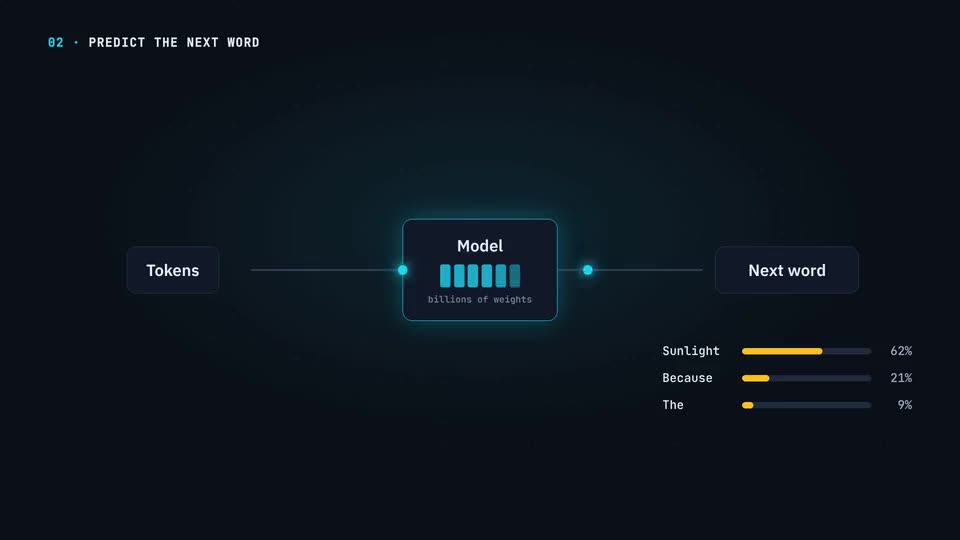
The video at the top of this page is one: a chat window, an answer streaming in word by word, bars growing for the next word. Use it for software, AI, SaaS and how systems work: product explainers, onboarding, feature launches, a lesson on how a model thinks.
The light look: charts that count up and draw themselves
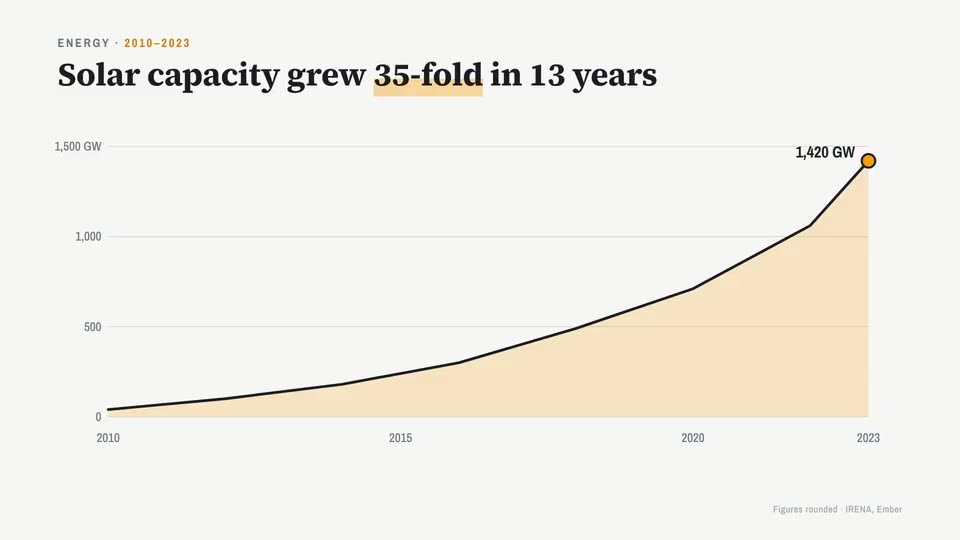
Pick Motion and choose dark or light. The light look, called Charts on some pages, is the same interface world on a clean light page: serif headings, one amber accent, and charts that draw themselves while the camera rides them.
Numbers count up to their value. Lines draw from the first year to the last. Bars grow. One chart turns into the next, so a report reads like a story instead of a stack of slides. It suits business, economics, results and reports: a quarter’s growth, a price change, the number behind a launch.
Changed your mind once the video is made? Switch it between dark and light in the studio: the whole video changes, the preview and the export, and nothing is made again.
Motion over your own footage
Motion also works on video you filmed. Upload your clips in Edit, a founder talking to camera, a course intro, a demo, and Motion builds its graphics over and around them, on the words you say.
Talking to camera, your video becomes a card that moves between beats: full screen, then a card beside big words, then a small window in a corner. Name cards, glass panels, a “what you will learn” list with the current item lit, pictures as cut-aways while your voice carries on. Where it helps, the director cuts away to a full-screen animation.
Before any of that, “Keep the best takes” does the editing: it keeps your best take of each line and cuts false starts, stumbles and repeats, like a professional editor would. See the AI video editor.
How to make a motion graphics video with AI
- Start from what you have: paste a script or notes, or upload your own voice, or import a PDF, Word file or PowerPoint. A Google Slides link works too.
- Pick Motion, then dark or light, and 16:9 or vertical 9:16.
- Choose how it is told. Rewrite on: the AI writer turns your material into a spoken narration, at the length you choose. Rewrite off: the voice reads your text as written, and your [notes] direct the scenes.
- Click Generate. The price is shown first. The director plans every scene and times it to the word.
- Finish it in the studio: change a scene, ask the assistant, put on your brand kit (Creator and Studio), turn on Sound effects, then export a 1080p MP4.
Is Motion the right style for your video?
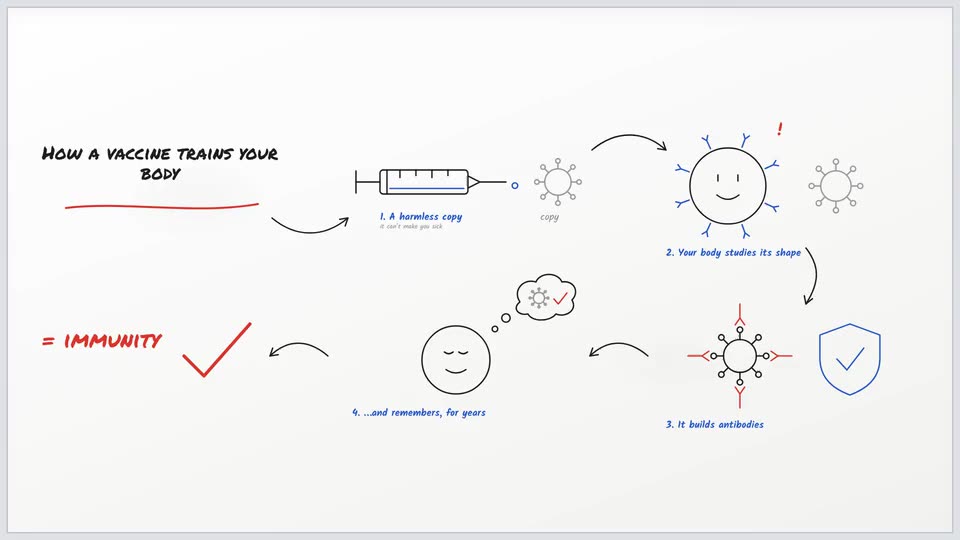
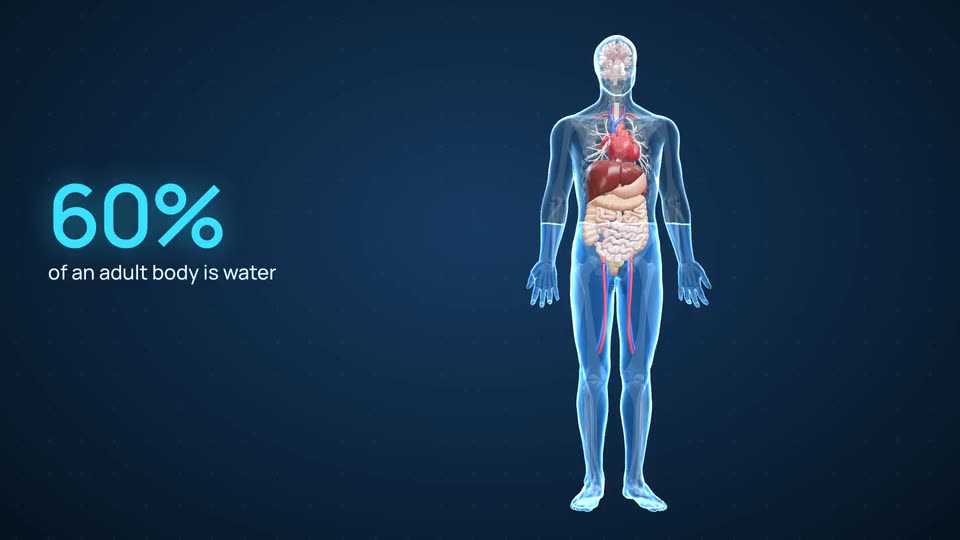
Clipteach has three styles, and each is its own world, not a colour scheme. Motion is for what lives on screens and in numbers. If your subject is a concept or a process, Doodle draws it on a whiteboard. If it is the human body, 3D Body shows it in real 3D anatomy.
Making videos for a launch? See Clipteach for marketing teams and our guide to motion graphics for marketing.
What it costs
You start with 300 free credits on sign-up, no card: enough for a short video. Starter is $19 a month ($190 a year) for about 3.3 to 4.7 minutes of video. Creator is $49 a month ($490 a year) for about 11 to 15 minutes. Studio is $149 a month ($1,490 a year) for about 41 to 58 minutes.
Minutes depend on the style, and Motion sits near the top of each range: about 14 minutes a month on Creator. Credits roll over and never expire, and whenever something costs credits, the price is shown first. A Motion video made over your own clips is priced on the finished video’s length.