A real Doodle video, vertical 9:16, made from the script below, pasted as is. Six [notes], six ideas on one board: the voice reads the lines, each note tells the director what to draw, and at the end the camera pulls back over the whole board.
The exact script that made it
[A big tree, drawn line by line in the middle of the board.]
A tree can weigh tons, so where does all that wood come from?
[A small pot of soil, drawn line by line, with a big red question mark beside it.]
Most people would say: from the soil.
[A willow tree growing in a pot, drawn line by line, with "5 years" written in blue.]
Four hundred years ago, a scientist grew a willow in a pot for five years.
[Two sides, with a line drawn between them: "tree" with "+74 kg" in blue, and "soil" with "-60 g" in red.]
The tree gained seventy-four kilos, and the soil lost barely sixty grams.
[A leaf, drawn big. A sun above it, its rays on the leaf. Small "CO2" bubbles drift into the leaf from the air, and the word "sugar" is written inside it.]
It comes from the air: with sunlight and water, leaves turn carbon dioxide into sugar.
[The words "made of air", written big and underlined in red. Then the camera pulls back over the whole board.]
Sugar becomes wood. A tree is built mostly out of thin air.
What is whiteboard animation?
A whiteboard animation is a video in which ideas are drawn on a white board while a voice explains them. You don’t look at a finished picture; you watch it appear, line by line, at the speed of the explanation. That is the whole trick: the drawing tells you where to look, and the voice tells you what it means.
The format used to cost you one of two things. An illustrator drew the lesson by hand in front of a camera, or you built it yourself in doodle software, dragging each drawing onto the board and lining it up with your voiceover. Doodle takes that job off your hands. You bring the explanation; an AI director draws it.
How a Doodle video is drawn
What happens between the script you paste and the video you export.
- The voice comes first. A pro AI voice reads your script as written, the AI writer turns your notes into a narration at the length you choose, or you upload your own recording. Every word gets its time.
- The director plans the board. Each idea gets its own spot on one big whiteboard: simple line drawings, a short handwritten label, a red underline on the word that matters. A process can become several drawings arriving in order; a comparison, two sides with a line drawn between them; a key number, written big and circled.
- Each idea is drawn on its word. When the voice reaches an idea, its drawing traces itself line by line and its label is written in. An arrow is drawn from one idea to the next while the camera travels across the board.
- Six ideas fill a board. Then the camera pulls back over the whole board, a map of the lesson so far, and a fresh board begins.
Why whiteboard animation teaches so well
Richard E. Mayer’s research on multimedia learning explains most of it. People learn better when words and pictures arrive together rather than one after the other, which he calls temporal contiguity: Doodle draws each idea on the word that names it, not a slide earlier. They learn better when the essential part is signalled: that is what the arrows and the red underline do. And they learn better without decoration, the coherence principle: a line drawing of a leaf on a white board has nothing in it to pull the eye away from the leaf.
The fourth reason is the board itself. Nothing is wiped while a board fills up, so each new idea lands beside the ones before it, joined by an arrow. When the camera pulls back, the viewer sees the whole argument at once: a recap they didn’t have to read.
The longer story, with the history and the research, is in why whiteboard animation works.
Doodle vs drag-and-drop doodle video makers
Most doodle video makers hand you a board and a library. You choose the drawings, drag each one into place, set the order on a timeline, then add your voiceover. You are the animator, and a ten-minute lesson is an afternoon of placing things.
Clipteach turns that around. You are the teacher: you write, paste or record the explanation, and the drawing follows the voice. The director decides what to draw, where it sits on the board and when it appears, down to the word. When you want something specific, a [note] in your script asks for it.
| Drag-and-drop doodle tools | Clipteach Doodle | |
|---|---|---|
| You start from | A blank board and a library of drawings | Your script, notes, slides, PDF or voice recording |
| Who places the drawings | You, one by one | The AI director, idea by idea; you change any scene afterwards |
| Timing | Set on a timeline, scene by scene | Each drawing starts on the word it belongs to |
| When the lesson changes | You rebuild the scenes | You change a scene’s words, or redo it with a new note |
Weighing up Doodly in particular? We compared the two in detail: the Doodly alternative. And if you love placing every drawing yourself, a drag-and-drop tool is still the better fit.
How to write a script for whiteboard animation
A whiteboard video is only as clear as the explanation under it. These habits make the director’s job, and your viewer’s, easier.
- One idea per paragraph, one short line per idea. About fifteen words is plenty: the voice should leave the drawing time to be seen. An empty line between paragraphs is a short breath in the voice.
- Open on a question. “So where does all that wood come from?” makes the viewer want the next drawing.
- Say the number out loud. A figure the voice says can be written big on the board; one buried in a long sentence gets lost.
- Steer with [notes] when it matters. Put a note on its own line, just before the words it shows: what to draw, in what order, and the exact words of a label, in quotes. Colours help, like “+74 kg” in blue. Notes reach the director when the voice reads your text as written, with Rewrite off.
- Teach, don’t describe. The voice explains to the viewer what it means, why it matters and what to remember; it doesn’t narrate the drawing they can already see. More in how to write narration that teaches.
One note, one drawing, one short line. That is how the tree video at the top of this page was written.
Change the drawings’ colours, words and timing in the studio
The director’s video is a first draft you can work on. In the studio’s timeline you trim, split and pace scenes, and you click any scene to change its words or redo it with a new note.
The parts of each drawing are listed in the scene panel. Pick a part with words on it and change its colour: one of your video’s own colours (text, accent, second accent, soft, background) or plain black or white. Reset brings back the director’s colour. Choose one that stands out from the board behind it: a glow reads on a dark background, not on a whiteboard.
Prefer to ask? Tell the video assistant what to change in plain words and approve its plan. Switch on Sound effects and the AI designs the sound of your video, whooshes, hits and clicks timed to what moves, which you can move, change or add on the timeline. There is no music.
On Creator and Studio, your brand kit (logo, colours, font) and your own pictures can go into the video too: a picture you upload is pinned to the board like a photo. Export a 1080p MP4, in 16:9 for a course or a class, or vertical 9:16 for Reels, Shorts and TikTok.
When Doodle fits, and when another style fits better
Doodle is made for teaching, science, concepts and processes: anything a good teacher would explain by drawing it on a board. How a vaccine trains the body, why the seasons change, how a law gets passed, the steps of a sales process.
Two kinds of subject usually look better in another style:
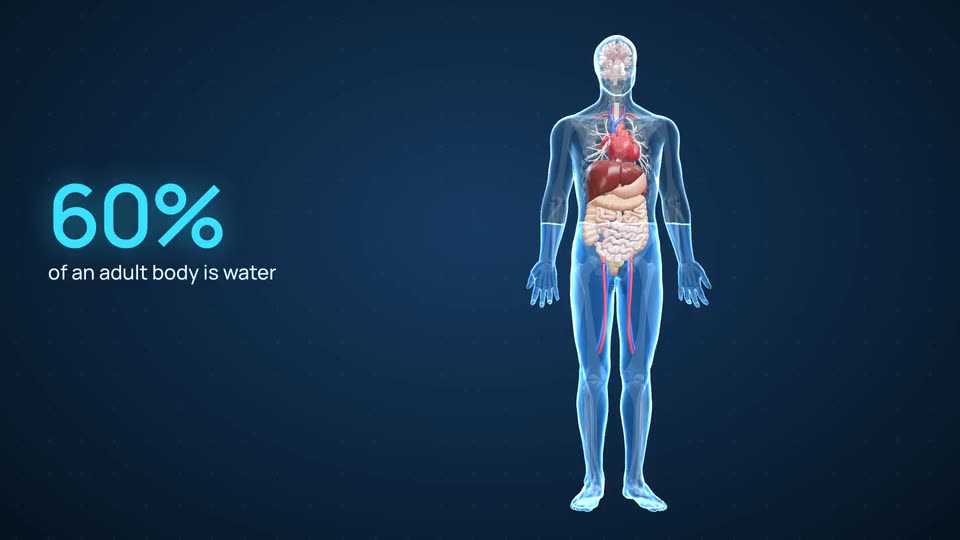
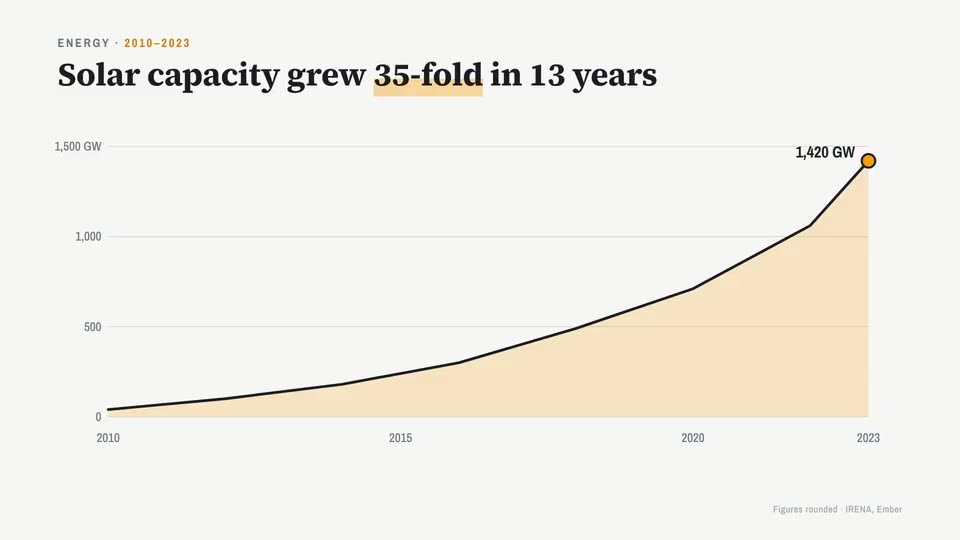
See 3D anatomy animation and motion graphics: Motion’s dark interface world is for software, AI and how systems work, and its light look is for charts.
What a whiteboard animation costs
You start with 300 free credits on sign-up, no card: enough for a short video, so you can see your own lesson drawn before you pay anything.
Plans are paid in credits, and Doodle runs a little shorter than the other styles: its drawings are pictures, and pictures cost more credits than words and charts. On Starter ($19 a month, $190 a year), Doodle gives about 3.7 minutes of video a month. On Creator ($49 a month, $490 a year), about 12 minutes. On Studio ($149 a month, $1,490 a year), about 45 minutes.
Credits roll over and never expire, and whenever something costs credits, the price is shown before you start.